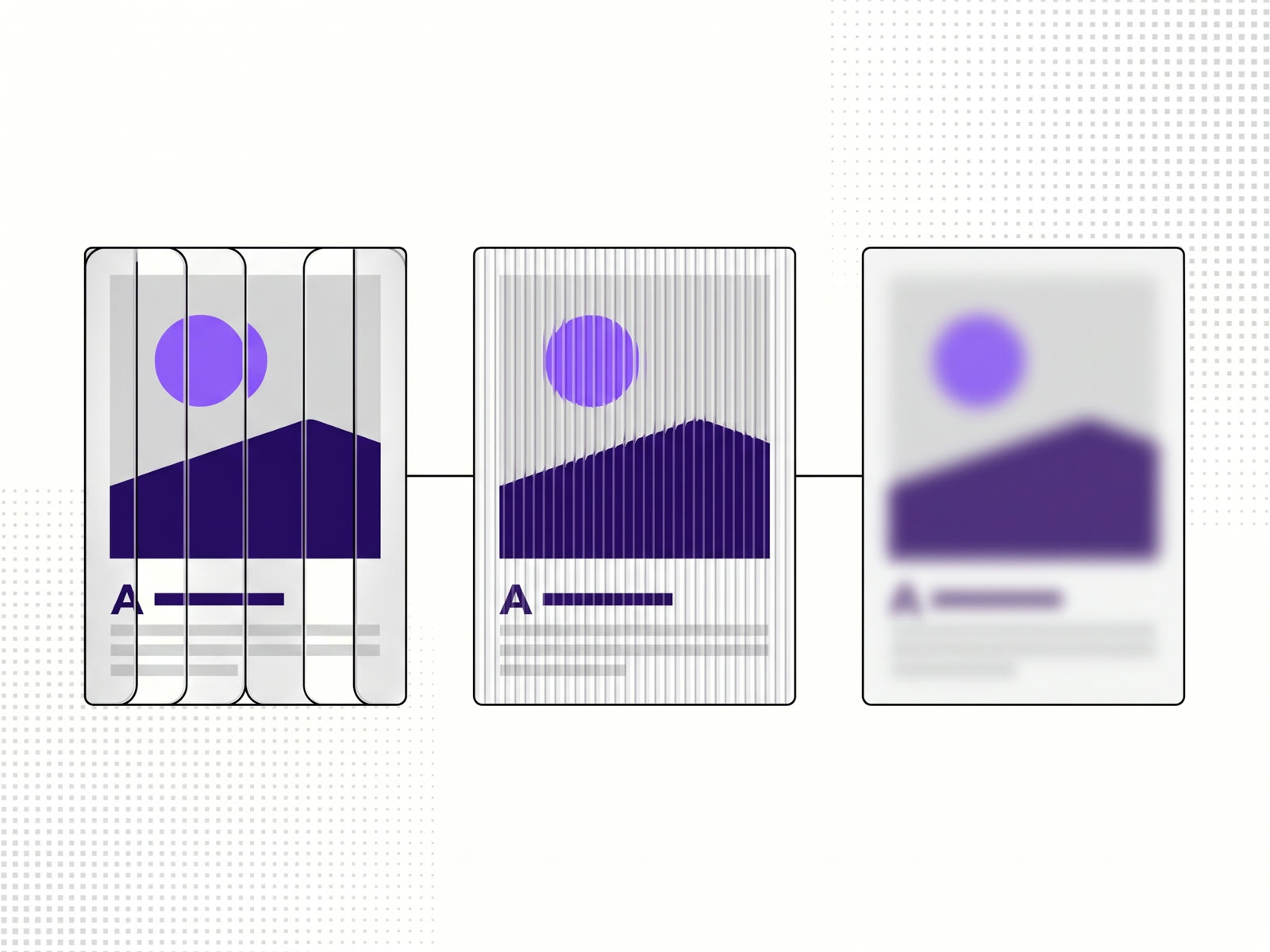
A glass texture effect makes a photo look as if it's seen through a pane of patterned glass: frosted glass blurs it softly, fluted or ribbed glass splits it into vertical strips that each bend the picture a little. You can make these in Photoshop with displacement maps, or apply them in a browser in a few clicks with our glass effects tool, which also exports the effect as code so it stays live, with motion and hover, on your site.
The three glass looks
Fluted glass has rounded vertical ridges. Each ridge acts as a narrow lens, so the photo behind breaks into a row of strips, each slightly shifted and stretched. It's the look of reeded shower screens and cabinet doors, and it's been all over posters and website heroes.
Ribbed glass, also called reeded glass, is the same idea with narrower, more regular ridges. The strips are crisper and the picture reads more as a pattern.
Frosted glass has no ridges. Its surface scatters light, so the photo behind turns into soft colour and shape. It's the classic look for a translucent panel over an image, the one interface designers call glassmorphism.
How it's done in Photoshop
The usual method is a displacement map: a greyscale image of the glass's pattern that shifts each pixel of the photo by an amount set by how light or dark the map is at that point. Fluted glass needs a map of vertical gradient stripes; frosted glass is more often a blur with noise on top. It works, but it gives you a flat image, and changing the stripe width means redrawing the map.
How to do it in a browser
- Open the glass effects tool and drop in a photo. It's drawn on your device with WebGL; nothing is uploaded.
- Pick an effect from the glass group: Fluted, Wavy ribs, Frosted, Reeded, Pebbled and more. Fluted and Wavy ribs are free; Frosted, Reeded and the rest are on the monthly and yearly plans. Every effect can be tried before you export.
- Adjust it: the finish, whether it moves, how it reacts when the cursor passes over, and the frame around it.
- Export. Download a PNG or JPG, copy the image, or open the export sheet for code.
There are 28 effects in all, in five groups: glass, tiles, distort, light and print. With a plan you can also stack a second effect on the first and start from one of six ready-made Looks.
Keeping the effect live on a website
A flat image is the end of the line in Photoshop. Here the export sheet also gives you code for React and Next.js, Framer, AI builders or plain HTML. The code loads the effect's engine and draws the glass over your photo in the visitor's browser, so the motion and hover you set keep working, and you can change the photo without redoing the effect.
That suits a website hero or a product image that should feel alive when someone moves the mouse over it, which a still can't do.
Where glass effects work well
- Hero images behind a headline, where the ridges break up a busy photo so the text stays readable.
- Portraits and product shots that should feel like a set, all through the same glass.
- Posters and social posts, exported as an image.
They work less well on photos whose subject has to be read clearly, such as faces you want recognised or text in the picture. Fluted glass cuts both into strips.
FAQ
What is the fluted glass effect?
A photo seen through glass with rounded vertical ridges. Each ridge bends the picture behind it, so the image splits into shifted strips.
Is the frosted glass effect free?
In our tool, frosted glass is one of the Pro effects. Fluted and Wavy ribs are free, along with eight effects from the other groups.
Can I add a glass effect without Photoshop?
Yes. A browser tool draws it on your photo, and you can export an image or code for your site.
Will the glass effect work on my website?
The code export works with React and Next.js, Framer, AI builders and HTML, and draws the effect live in the visitor's browser.