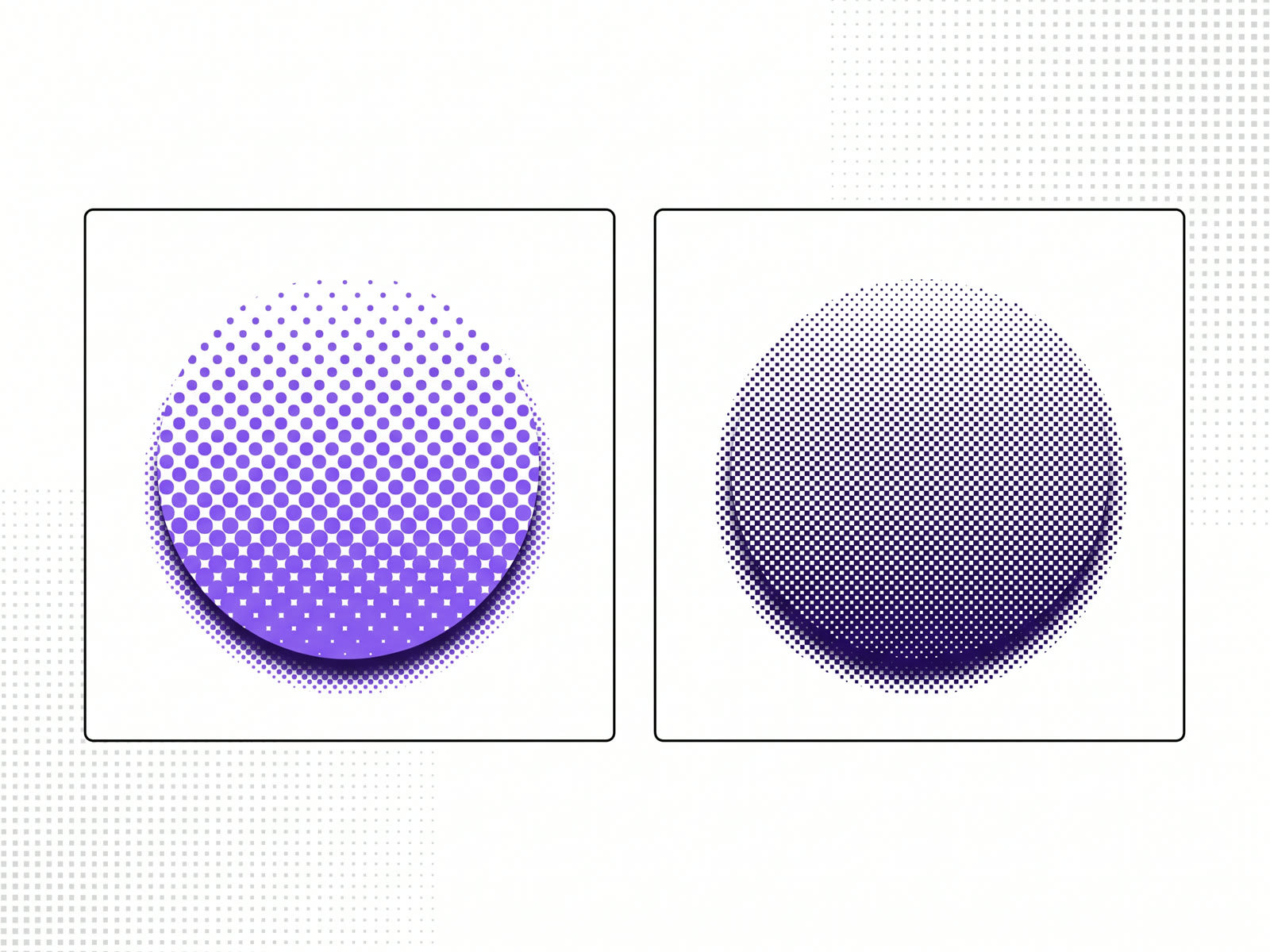
A halftone effect turns a photo into a grid of dots that grow and shrink to show light and dark, the way newspapers print pictures. A dither effect turns it into a scatter or pattern of pixels in a few colours, the way early computer screens showed images they didn't have the colours for. Both are free to add to a photo in our image effects tool, and both can be exported as an image or as live code for your site.
What a halftone effect is
Printing presses can't print grey. They print ink or no ink. Halftone is how they fake the shades in between: the picture becomes a fine grid of dots, large and close together where it's dark, small and far apart where it's light. From reading distance, the eye blends them back into tone.
As an effect, halftone keeps that grid visible on purpose. Large dots read as pop art and comic panels; fine dots read as old print. Colour halftone does the same thing once for each ink, with each grid at its own angle.
What a dither effect is
Dithering solves a similar problem on screens. When a display could only show a handful of colours, an image was approximated by arranging those few colours in patterns, so that from a distance the mix read as the shade in between.
Two kinds are common. Ordered dithering uses a fixed, repeating pattern, which gives a regular cross-hatched texture. Error diffusion, of which Floyd–Steinberg is the best known, spreads the rounding error of each pixel onto its neighbours, which gives a grainier, more organic scatter.
Halftone or dither?
- Halftone is dots on a grid. It feels like print: posters, zines, newsprint, comics.
- Dither is pixels in a pattern. It feels like screens: early computers, pixel art, game consoles.
Both cut a photo down to a few tones, so both work best on pictures with clear contrast and a strong shape. A low-contrast photo can turn into an even grey texture with little to see.
How to add either one to a photo
- Open the image effects tool and drop in a photo. It's drawn on your device; nothing is uploaded.
- Open the print group and pick Halftone or Dither. Both are free.
- Adjust it: the finish, whether it moves, how it reacts to the cursor, and the frame.
- Export a PNG or JPG, copy the image, or take the code for React and Next.js, Framer, AI builders or HTML.
Exporting needs a free account. The print group has four effects; the other two, and stacking a second effect on top, are on the monthly and yearly plans.
The same tool does glass, tiles, distortion and light effects too. Glass texture effects for photos covers the glass ones.
FAQ
What is the difference between halftone and dither?
Halftone shows tone with dots of different sizes on a grid, as in printing. Dither shows it with a pattern of pixels in a few colours, as on early screens.
Is there a free halftone effect online?
Yes. Halftone and Dither are both among the free effects in our image effects tool. Exporting needs a free account.
Which photos work best with a halftone effect?
Photos with clear contrast and a strong subject. Soft, low-contrast pictures can turn into an even texture.
Can I use a dither effect on my website?
Yes. Export it as code and it's drawn live in the visitor's browser, or download it as an image.